

Services /Email Security

Email Security

Stop phishing, BEC and malicious attachments before they reach the inbox.

Overview

What we deliver

Cloud email security that scans inbound, outbound and internal mail for phishing, business email compromise, malware, URLs and impersonation — layered on top of Microsoft 365 to catch what native filtering lets through.

  • Anti-phishing and impersonation protection
  • Attachment sandboxing and CDR
  • Time-of-click URL protection
  • Business email compromise detection
  • SPF, DKIM and DMARC configuration
  • Quarantine management and reporting
Email security blocking phishing on a laptop
Problems we solve
  • Phishing landing in user inboxes daily
  • Invoice fraud and CEO impersonation attempts
  • Malicious links that pass initial scanning
  • No visibility of internal mail spread

Outcomes

What you can expect

Dramatically fewer phishing emails delivered

Fraudulent payment attempts blocked

Cleaner inboxes, fewer incidents

At a glance

Email Security explained

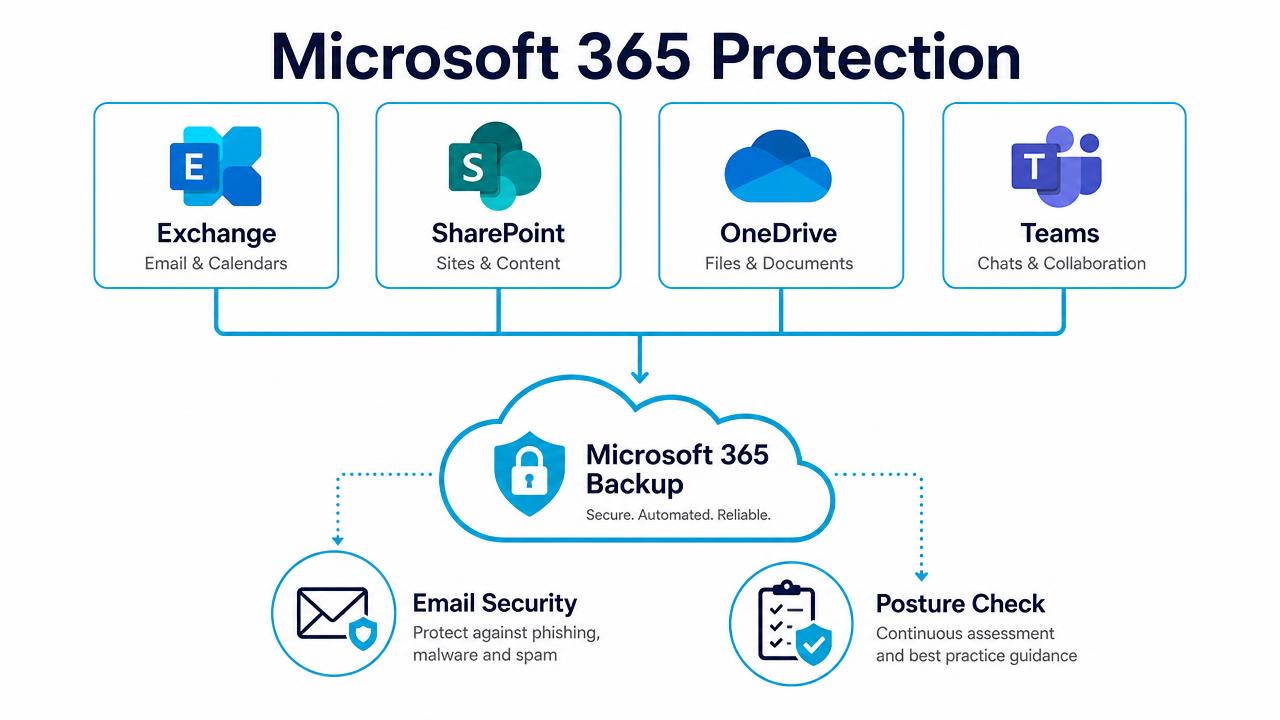
Microsoft 365 protection diagram covering Exchange, SharePoint, OneDrive and Teams

Backup, email security and posture management across Microsoft 365.

In depth

How the service works

100% of traffic scanned in real time

Every inbound, outbound and internal message is inspected before delivery — not sampled, and not analysed after the fact. Detection combines signature-less analysis, machine learning, sandboxing and content disarm and reconstruction, so zero-day attachments and previously unseen phishing pages are stopped rather than logged.

Built for the attacks that actually cost money

Business email compromise, invoice fraud and supplier impersonation rarely carry malware, so traditional filters pass them straight through. Detection here models sender behaviour, display-name and domain look-alikes, and language intent, which is what catches the 'can you change our bank details' email before your finance team sees it.

Layered on top of Microsoft 365

This runs in front of and alongside Exchange Online Protection and Defender rather than replacing them, adding a second independent detection engine. Deployment is API-based and takes minutes, with no MX cutover required and no mail flow risk.

Beyond the inbox

The same engine protects Teams, SharePoint and OneDrive, because once an attacker is inside the tenant the next payload usually arrives through a shared file or a chat link, not an email.

FAQs

Common questions

Do we still need Microsoft's built-in filtering?

Keep it. This adds a second, independent engine in front of it — layered detection catches materially more than either alone.

How long does deployment take?

API-based onboarding is typically live the same day, with no MX record change and no interruption to mail flow.

Will legitimate email be blocked?

Quarantine is reviewed during tuning, and users get a digest with self-service release under policies we agree with you.

Does it scan internal email?

Yes — internal and outbound mail is scanned, which is how we contain an account takeover spreading inside the business.

Book a Free Email Security Scan

A 30-minute review of your IT, security and cloud setup, with clear recommendations. No obligation.