
Licence review first
Most businesses we take on are paying for licences nobody uses, or missing Business Premium features they already need. We map assigned licences against actual usage and rebalance before anything else.
Microsoft 365 administration, identity, users and devices integrated with Managed IT.
Overview
Administer, secure and manage Microsoft 365, identity, users and devices: Exchange, Teams, SharePoint, OneDrive, Entra ID and Intune.

Outcomes
Fewer wasted licences
Better collaboration
Modern, managed devices
At a glance
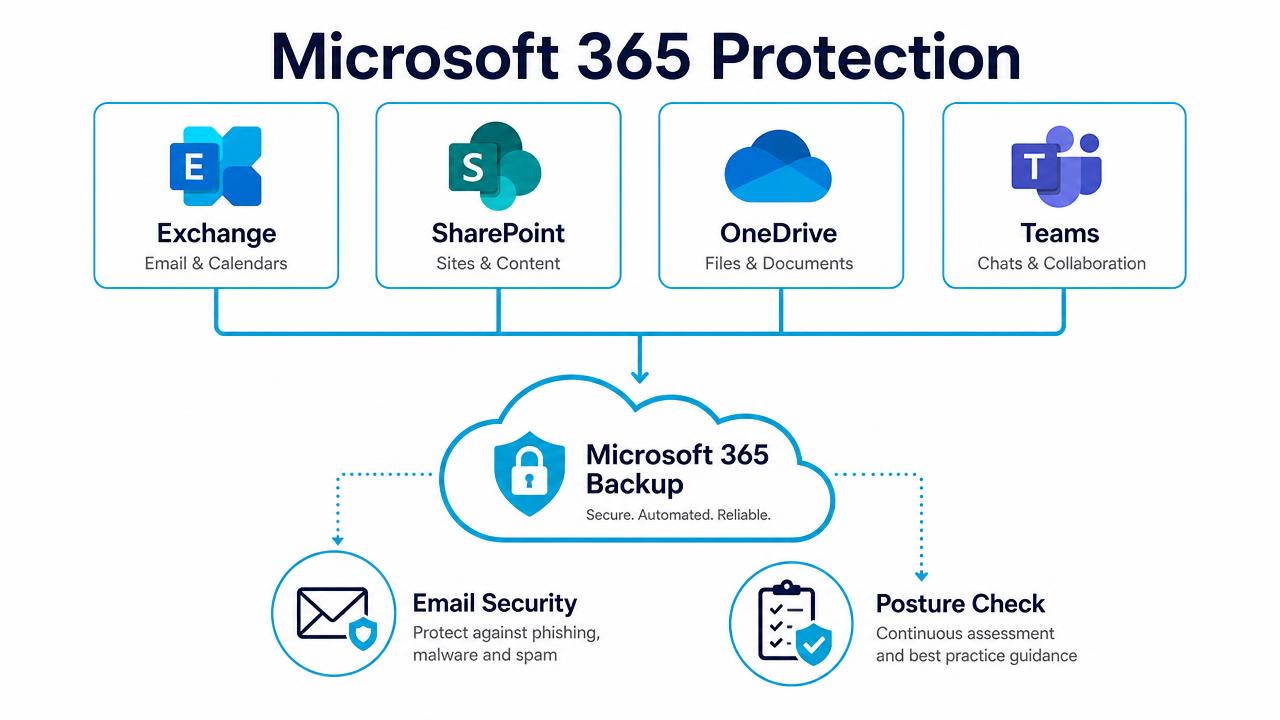
Backup, email security and posture management across Microsoft 365.
In depth
Most businesses we take on are paying for licences nobody uses, or missing Business Premium features they already need. We map assigned licences against actual usage and rebalance before anything else.
Naming standards, sensitivity labels, retention and controlled Teams creation, so SharePoint stays findable eighteen months from now.
Copilot exposes whatever your permissions allow. We audit oversharing, tighten site access and pilot with a small group before wider rollout.
FAQs
Yes — mail, calendars, contacts and Drive content, with a cutover plan that keeps users working throughout.
No. Microsoft protects the platform; your data is your responsibility. We add third-party backup for mail, OneDrive, SharePoint and Teams.
Yes, including Autopilot provisioning, compliance policies and app deployment.
Related services
Solutions are tailored to your users, devices, infrastructure, security requirements and service needs.