

Services /Microsoft 365 Backup

Microsoft 365 Backup

Independent, granular backup for Exchange, OneDrive, SharePoint and Teams.

Overview

What we deliver

Multiple daily backups of your entire Microsoft 365 tenant into encrypted storage outside Microsoft, with point-in-time restore of a single email, file, list, site or Teams channel in minutes.

  • Exchange Online mailbox backup
  • OneDrive and SharePoint backup
  • Teams chats, channels and files
  • Granular point-in-time restore
  • Multiple backups per day
  • Encrypted storage outside the tenant
Microsoft 365 admin portal with Exchange, SharePoint, OneDrive and Teams protected by cloud backup
Problems we solve
  • Retention policies that quietly expire data
  • Accidental or malicious deletion
  • Departed staff data purged with the licence
  • Slow, unreliable native recovery

Outcomes

What you can expect

Any item recoverable, any day

Shared-responsibility gap closed

Restores in minutes

At a glance

Microsoft 365 Backup explained

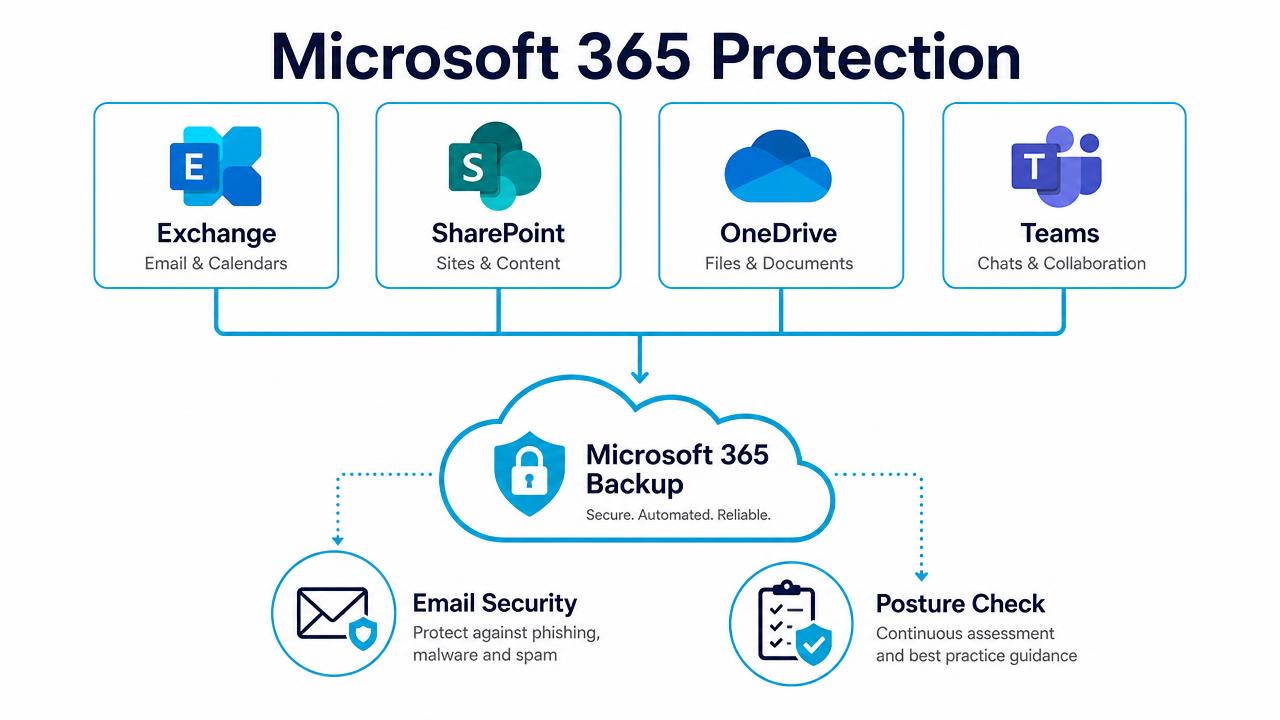
Microsoft 365 protection diagram covering Exchange, SharePoint, OneDrive and Teams

Backup, email security and posture management across Microsoft 365.

In depth

How the service works

Complete tenant coverage

Exchange Online mail, calendars and contacts, OneDrive, SharePoint sites and lists, Teams chats, channels and files, and Entra ID objects — captured several times a day into encrypted storage held independently of the Microsoft tenant.

Restore what was lost, not everything around it

Search across recovery points and restore a single email, a document version, a list, a channel or a whole user's data, back to the original location or somewhere else, without a support ticket and without waiting for a retention window.

Storage on your terms

Choose independent cloud storage, Microsoft 365 Backup Storage or your own bucket, with the retention tier your compliance obligations require and immutability so nothing can be purged early.

FAQs

Common questions

How many backups run per day?

Multiple daily backups as standard, with the schedule tuned to how quickly your content changes.

Can users restore their own files?

Self-service restore can be enabled where you want it; otherwise our helpdesk handles it, usually within minutes.

Is the backup stored inside Microsoft?

By default no — it is held in independent encrypted storage, which is what protects you from tenant-level compromise.

Book a Microsoft 365 Backup Review

A 30-minute review of your IT, security and cloud setup, with clear recommendations. No obligation.