

Services /Microsoft 365 & Azure Backup

Microsoft 365 & Azure Backup

Microsoft protects the platform. Your data is your responsibility.

Overview

What we deliver

Independent backup for Exchange Online, OneDrive, SharePoint, Teams and Azure workloads, with granular point-in-time restore of a single mailbox item, file, channel or virtual machine — outside the Microsoft tenant.

  • Exchange Online, OneDrive, SharePoint and Teams backup
  • Azure VM and workload backup
  • Granular item-level restore
  • Multiple daily backups
  • Independent storage outside the tenant
  • Legal hold and long-term retention
Microsoft 365 and Azure backup
Problems we solve
  • Assuming Microsoft backs up your data
  • Deleted items lost after retention expires
  • Ex-employee mailboxes and OneDrive purged
  • Long, painful restores through support tickets

Outcomes

What you can expect

Recover any item, any point in time

Shared-responsibility gap closed

Fast self-service restores

At a glance

Microsoft 365 & Azure Backup explained

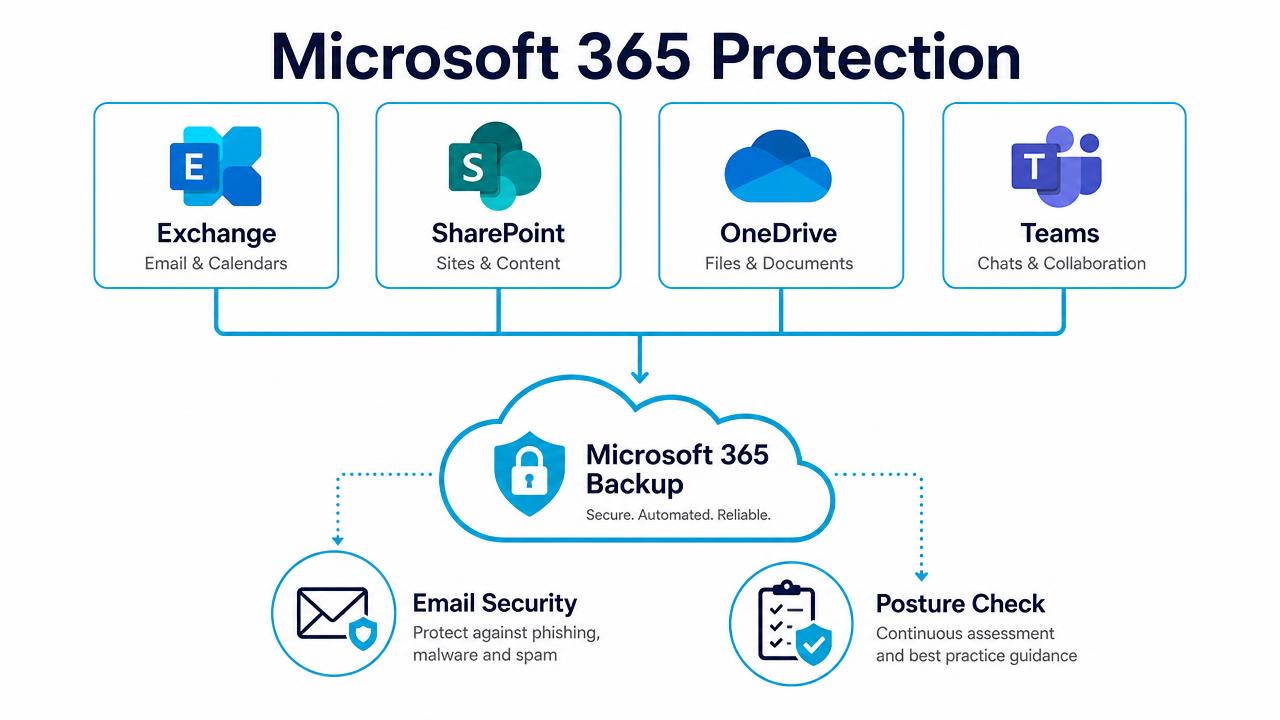
Microsoft 365 protection diagram covering Exchange, SharePoint, OneDrive and Teams

Backup, email security and posture management across Microsoft 365.

In depth

How the service works

The shared responsibility gap, in plain terms

Microsoft guarantees the availability of the service, not the recoverability of your content. Retention and litigation hold are not backup: once a retention window passes, or a licence is removed, or an attacker with admin rights purges data, Microsoft cannot bring it back. That gap is yours to close.

Everything in the tenant, several times a day

Exchange Online mailboxes and archives, OneDrive, SharePoint sites and lists, Teams chats, channels and files, Entra ID objects and Azure virtual machines and workloads — backed up multiple times daily into encrypted storage held outside the Microsoft tenant.

Granular, point-in-time restore

Recover a single email, calendar item, OneDrive file, SharePoint list, Teams channel or an entire user, from any recovery point, into the original location or a different one. Search across backups means finding the item is quick even when the user cannot remember where it lived.

Leavers, legal and audit

Departed staff data is retained after the licence is released, long-term and legal-hold retention tiers meet UK regulatory requirements, and every restore is logged for audit.

FAQs

Common questions

Doesn't Microsoft already back up Microsoft 365?

No. Microsoft protects the platform's availability. Recovering your content beyond short native retention is your responsibility.

Is Teams data included?

Yes — channel messages, private chats, files and the underlying SharePoint and OneDrive content.

Can we back up Azure workloads too?

Yes, Azure virtual machines and workloads are protected under the same platform and console.

What happens when someone leaves?

Their mailbox and OneDrive stay recoverable under your retention policy even after the licence is reassigned.

Book a Microsoft 365 Backup Review

A 30-minute review of your IT, security and cloud setup, with clear recommendations. No obligation.